Overview
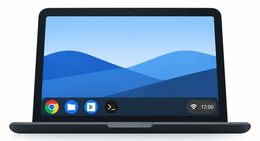
gbOS86 runs Google's Googlebook OS (codename lapis, built on Android) on ordinary Intel x86 laptops.
Googlebook OS is made for Google's own hardware: a particular CPU, a security chip (GSC), a protected VM (pKVM/Trusty) and Google's kernel and firmware. gbOS86 keeps Google's userspace as it ships and replaces what is underneath it:
- A different kernel: Android common kernel 6.18 built for generic Intel laptops, with a CPU-instruction emulator.
- A boot stage (stage0) that finds the system on a USB stick or the internal NVMe drive, loads drivers, mounts Google's partitions and starts Google's unmodified Android
init. - Binary patches to the libraries that execute the most missing CPU instructions.
- Software stand-ins for the security hardware an ordinary laptop does not have.
- Hardware detection that loads the right Wi-Fi, Bluetooth, audio, input and platform drivers on each boot.
Status
| Works (Dell Latitude 5300) | Boot to desktop, setup and Google sign-in, Play Store installs, Wi-Fi, Bluetooth, sound (speakers, headset jack, internal mic, HDMI), touchpad with gestures, battery/AC, persistent data on the internal NVMe drive, screen-lock password, correct display colours. |
| Works on other laptops | Acer Aspire Lite AL15-52 (i5-1235U) and Lenovo ThinkPad T470, as reported by the people who tried them. See Tested laptops. |
| Partly works | HP OmniBook 7 (no Wi-Fi) and Dell XPS 16 (screen refresh, Wi-Fi and camera). A Framework Laptop 13 Pro had a black screen, now fixed in the firmware and waiting for confirmation; an HP 14-ne0013dx did not work. Newer Core Ultra machines are the weak spot. |
| Not done | Suspend/resume, Night Light, fingerprint readers, IPU6 cameras, discrete GPUs, OTA updates (manual updates only), Linux Terminal VM, auth-bound keystore keys. |
The pages in this section
- Install: the USB stick, booting, installing and updating.
- How it works: the boot chain.
- CPU emulation and patches: why it is slow, and what makes it faster.
- Hardware detection: drivers, firmware and the per-boot report.
- Google-only hardware: what is replaced and how.
- Configuration: every
gbos.cfgoption. - Logs and debugging: finding out what went wrong.
- Updating: new gbOS86 builds and new Google builds.
- Building from source.
- Safety and limits.
- Changelog.