# Lenovo LOQ (i5-12450HX + RTX 3050) – USB Storage, OTA Updates & Hardware Compatibility
Hello gbOS86 developers,
I'm running gbOS86 on my Lenovo LOQ 15 and would like to request better hardware support and help resolving a few issues.
### My laptop specifications
- Laptop: Lenovo LOQ 15 (2024)
- CPU: Intel Core i5-12450HX (12th Gen)
- GPU: NVIDIA GeForce RTX 3050 6GB + Intel UHD Graphics
- RAM: 16GB DDR5
- Storage: 512GB WD NVMe SSD
- Display: 1920 × 1080, 144Hz
### Current GBOS installation
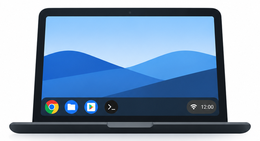
- Device profile: ASUS Googlebook 14
- Googlebook OS version: 17.CL3B.260622.276.R5
- Android version: 17
- Build: CL3B.260622.276.R5
- Installation: Dual boot on internal NVMe SSD alongside Windows and Ubuntu.
### What works
- Wi-Fi and internet
- Bluetooth
- Audio
- Sleep and wake
- Intel integrated graphics and display
### Issues I need help with
1. USB storage not detected
My SanDisk Cruzer Blade bootable USB drive is not detected in the GBOS Files app. I tried both USB 2.0 and USB 3.x ports. The same pendrive works normally in Windows.
2. OTA / System updates not working
GBOS shows a 163MB security update, but installation fails with the message:
"Something went wrong. Please reset the update or restart the device to continue."
I have restarted the laptop multiple times and tried resetting the update, but the problem remains.
I would like to know whether OTA updates can be enabled for generic Intel installations.
3. NVIDIA RTX 3050 support
I haven't been able to confirm whether the dedicated NVIDIA RTX 3050 is detected or usable. DevCheck currently reports NVIDIA Tegra K1, while the graphics renderer shows Intel UHD Graphics.
Could you advise how to verify and enable dedicated GPU support?
### My request
I would appreciate:
- Better generic Intel laptop compatibility.
- Working USB mass-storage detection.
- Functional in-system OTA updates without requiring a USB installer for every update.
- NVIDIA RTX 3050 detection and driver support.
- Guidance on the recommended GBOS build for Lenovo LOQ hardware.
I am happy to run diagnostic commands and provide logs to help improve compatibility.
Thank you for developing gbOS86 and supporting generic Intel laptops!